


The Instagram grid change everyone is talking about lets you reorder your profile grid. Your posts no longer have to sit in chronological order.
Why Has Instagram Changed the Profile Grid?
Instagram has always displayed your posts in reverse chronological order. Whatever went up most recently sat at the top. That meant a quiet week, an off-brand post, or a piece of content that simply did not perform well could sit front and centre on your profile for months.
Adam Mosseri, Instagram’s head, confirmed the reorder feature as part of a broader set of updates to the new Instagram grid layout. The change affects all Instagram users gradually, so if you have not seen it yet, it is coming.
What Has Actually Changed?
How does the new reorder feature work?
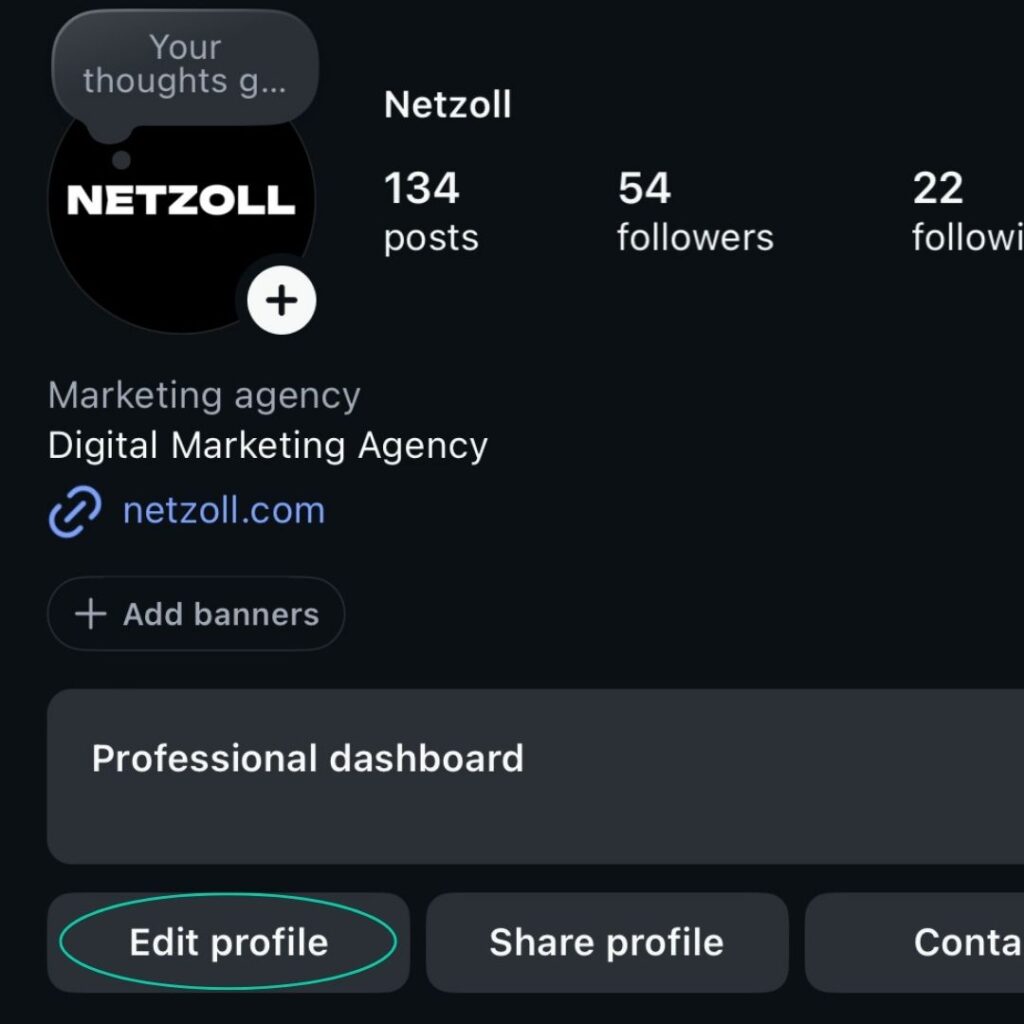
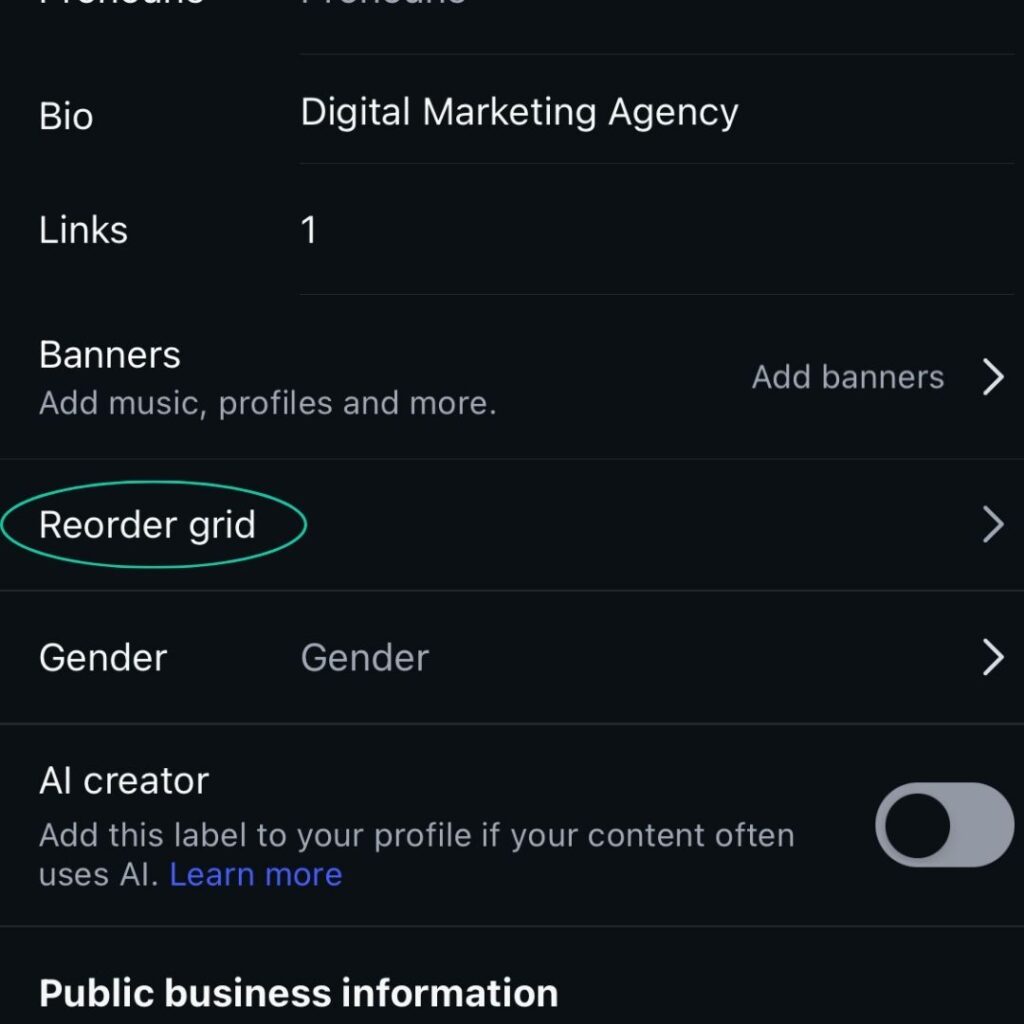
Go to your profile, tap Edit Profile, and select Reorder Grid. From there, you can drag and drop your existing posts into any order you want. You can also tap and hold on a post to bring up a menu and select Reorder Grid from there. Nothing about the posts themselves changes. The caption, likes, and original upload date all stay the same. You are purely deciding where each post sits on your profile grid.
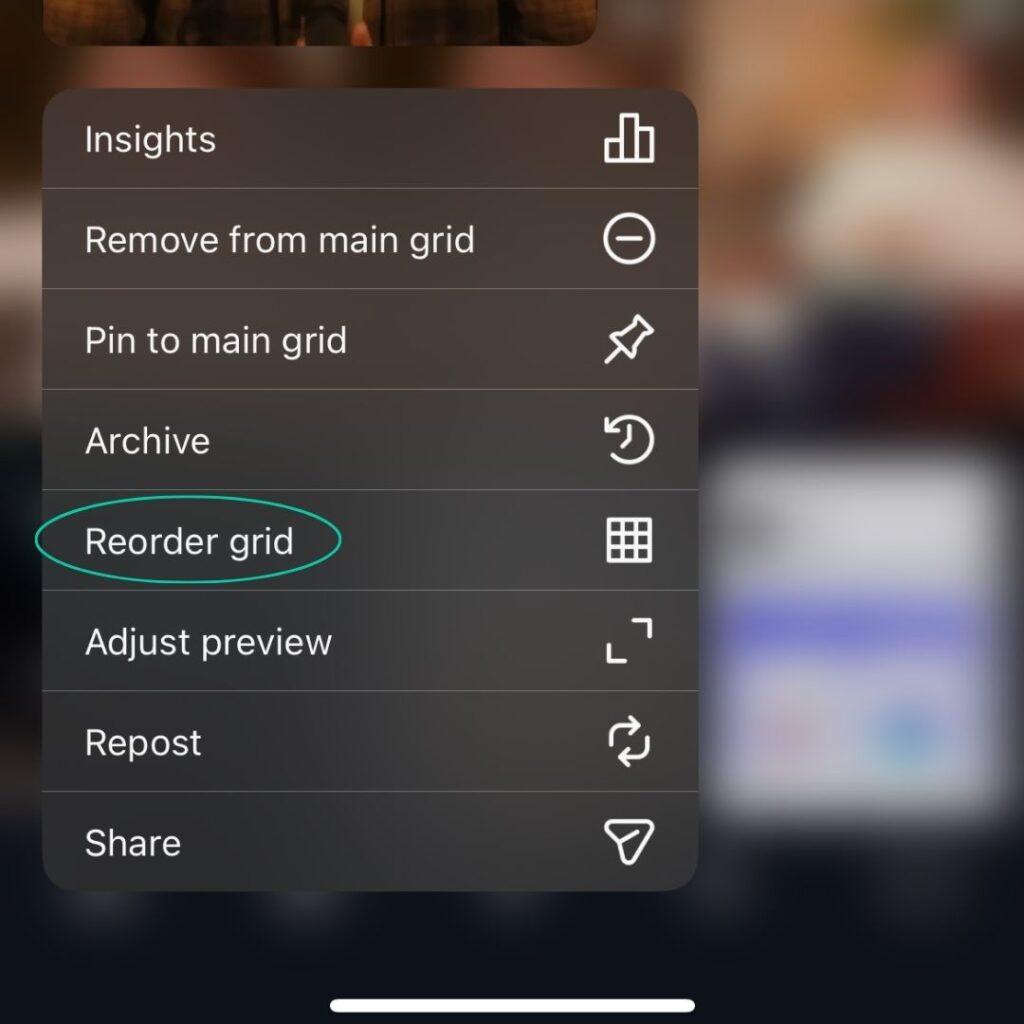
You can also archive posts to remove them from your grid without deleting them. If you have content that is off-brand or outdated, archiving it cleans up your profile without losing it permanently.
The new grid layout also moves away from the classic square grid. Posts now display in a taller format, and reels previews follow the same new dimensions. If you want the full breakdown on recommended dimensions and how the taller grid format affects your content, we have covered that separately. For now, the reorder feature is the more immediately useful change.
Why Does This Matter for Your Business?
Your Instagram profile is often the first thing a potential customer sees after discovering you. Within a few seconds they decide whether to follow, click your link, or leave. A grid full of inconsistent or outdated posts does not help that decision go your way.
The reorder feature gives you editorial control you have never had before. You can now treat your profile grid the way you would treat a website homepage: lead with what matters, remove what does not, and present a version of your business that reflects where you are now, not six months ago.
How Should SMEs Use the Reorder Feature?

What is the most effective way to restructure your Instagram grid?
Audit before you move anything
Before touching the reorder feature, go through your existing posts honestly. Which ones reflect your brand well? Which ones would you rather a new customer did not see first? That audit tells you what to promote to the top rows and what to archive.
Think in rows of three
Your grid displays three posts per row. Each row reads as a visual unit. If you are creating content with a consistent colour palette or style, grouping similar posts into the same row creates a grid that feels considered. A row-by-row approach, where each row focuses on a single theme, works better than trying to build an elaborate instagram puzzle feed or puzzle graphic across the whole grid. Keep it simple.
Use a grid preview tool before committing
A grid maker or online grid creator lets you visualise your profile before you start moving posts around. Drag your photos into the new order, check how it looks as a whole, then make the changes on the app. You can use a display tool like Hopper, or even some Canva templates can help, just make sure you use ones that have rectangle post options and not square.
Plan your split images around the new format
If you use an instagram image splitter or online image splitter to create a split image across multiple posts, make sure your grid maker supports 1080 x 1350 px and add margins so nothing gets cropped. Each image needs to make sense on its own too, since most users will encounter them individually in their feed first. It is also worth considering that any puzzle graphic will break every time you reorder your grid, so think about whether that maintenance is realistic before you commit to it.
How Can Netzoll Help?
Managing your Instagram content strategically takes time most SME owners do not have spare, and this Instagram grid change is one less thing you want to worrying about. At Netzoll, we handle social media for businesses across the UK and can help you get more from your Instagram profile. Get in touch if you want your Instagram working harder.